
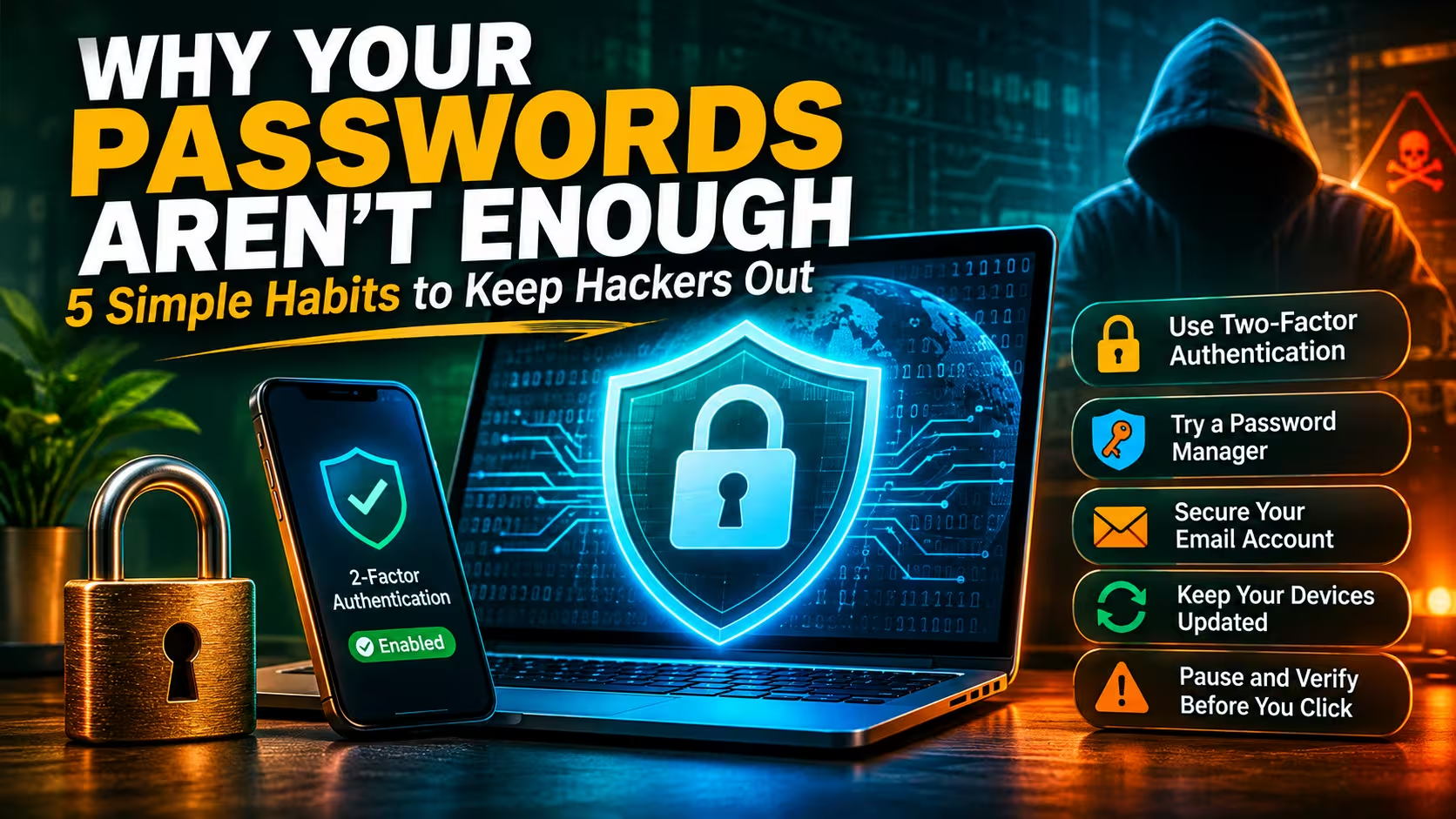
WHY YOUR PASSWORDS AREN’T ENOUGH: 5 SIMPLE HABITS TO KEEP HACKERS OUT
Category: Cybersecurity & Personal Finance | Reading Time: 10 minutes | Level: Beginner to Intermediate
For years, we were told the same basic rule for staying safe online: create a strong password, mix in a few numbers and symbols, and keep it secret. If you followed that advice, you were supposedly safe. Unfortunately, that advice belongs to a different era of the internet. Even a complex sixteen-character password cannot protect you on its own. Major companies, online stores, and service providers experience data breaches that expose millions of usernames and passwords.
Once your login details are stolen from one website, cybercriminals can use automated software to test the same email address and password combination across banking apps, social media accounts, and personal email services within seconds. If you rely on a password alone, you are leaving your front door locked while leaving the window wide open. Simply put, why your passwords aren’t enough comes down to how quickly hackers can test one leaked login across every account you own.
True digital security does not require you to be a computer scientist or cybersecurity engineer. It simply requires you to develop better daily habits and understand how cybercriminals exploit common online mistakes. From stolen login details to convincing phishing messages, today’s digital threats require more than a complicated password to keep your personal information safe. Here is why traditional passwords are no longer enough on their own and five simple, practical habits that can make it much harder for hackers to access your accounts.
WHY TRADITIONAL PASSWORDS ARE NOT ENOUGH ANYMORE
Most people treat passwords like house keys. They think that as long as they keep them secret, nobody else can get in. Today’s internet works very differently. Because we all have dozens of accounts for banking, shopping, email, and social media, remembering a different password for every single one is nearly impossible. Naturally, most people reuse the same two or three passwords everywhere, or just add a new number at the end. Hackers count on this. When one website with weak security gets hacked and leaks your password, criminals immediately test that exact same email and password on your bank, email, and social accounts. One leaked password can suddenly unlock your entire digital life.
Even a super-strong password can fail if a scammer tricks you into giving it away. Hackers regularly send fake emails, texts, and look-alike login pages that appear identical to your real bank or favorite store. If you type your password into a fake page by mistake, even the most complicated password cannot save you. On top of that, hackers use fast automated tools that can guess millions of password combinations in seconds—especially if your password includes your name, birthday, phone number, favorite team, or everyday words. To truly protect your money, identity, and privacy, you need extra layers of security that block hackers even if they already have your password.
5 SIMPLE HABITS THAT HELP KEEP HACKERS OUT
You do not need expensive software or advanced technical knowledge to secure your digital life. In fact, some of the most effective cybersecurity practices are simple habits that anyone can develop. From adding another layer of protection to your accounts to learning how to recognise suspicious messages, these everyday actions can significantly improve your online security and make it more difficult for criminals to access your personal information. Here are five important habits you should start practising today.

TURN ON TWO-FACTOR AUTHENTICATION EVERYWHERE
If you make only one change after reading this article, make it this one. Two-factor authentication, commonly called 2FA, adds another layer of protection to your account by requiring an additional form of verification when you sign in. This means that even if a criminal steals your password, they may still be unable to access your account without the additional verification required by the service. Whenever you set up 2FA, choose an authenticator app, such as Google Authenticator, Microsoft Authenticator, or Authy, or use a physical security key whenever possible.
Text message verification codes are better than having no additional protection, but they can sometimes be intercepted through SIM-swap fraud. Authenticator apps generate temporary codes directly on your device, while physical security keys provide stronger protection against many phishing attacks. Where available, consider using passkeys as well. They allow you to sign in without entering a traditional password and are designed to resist phishing attacks. Start by enabling additional protection on your most sensitive accounts, including your primary email, mobile banking apps, payment platforms, and social media profiles.
STOP MEMORISING PASSWORDS AND USE A PASSWORD MANAGER
One of the safest ways to manage your passwords is to stop relying on your memory to create and remember every single one. Because people naturally develop predictable patterns when inventing passwords, using the same passwords or slight variations across different accounts can leave you vulnerable. A reputable password manager solves this problem by creating, storing, and automatically filling in long, randomly generated passwords for every website you use. You only need to remember one strong master password to unlock your vault, while the software handles the rest.
Even better, reputable password managers generally recognise the websites associated with your saved login details. This means they can help protect you from phishing attempts by refusing to automatically fill in your credentials on websites with addresses that do not match the legitimate ones. That simple feature alone can help prevent you from falling for a convincing scam link. Instead of struggling to remember dozens of passwords or using the same one everywhere, you can manage your accounts more securely with a single password management tool.
PROTECT YOUR PRIMARY EMAIL LIKE A BANK VAULT
Many people carefully protect their mobile banking apps while treating their email inbox casually. That is a dangerous mistake because your primary email address is one of the most important keys to your entire digital life. Almost every website, bank, and social media platform provides a password recovery option through email. If a hacker gains access to your inbox, they may be able to reset passwords across your other accounts and lock you out before you even realise what has happened. This makes your email account one of the most valuable targets for cybercriminals.
Give your primary email account its own unique, long password that you never use anywhere else. Enable authenticator-based two-factor authentication or, where available, a passkey. You should also review your account recovery options and make sure they are properly protected. If possible, consider using a separate email address exclusively for banking and other important financial accounts. This can help reduce your exposure when your everyday email address is targeted by scammers and make it easier to keep your most sensitive online activities separate.
KEEP YOUR DEVICES AND APPS UPDATED
Those pop-up notifications asking you to restart your phone or update your browser can be annoying when you are busy, so it is tempting to keep clicking “Remind Me Later.” However, delaying updates can leave your devices exposed to security threats that cybercriminals may already know how to exploit. Software updates do far more than introduce new features or change the appearance of your apps. They also fix security vulnerabilities that attackers may use to infect phones and computers with malware, spyware, and other malicious software.
Once a software company releases a security update, attackers may study the vulnerabilities it fixes and look for devices that have not yet installed the patch. This is why ignoring update notifications can put your personal information at unnecessary risk. Turn on automatic updates for your smartphone, computer operating system, and web browsers so that important security patches are installed as soon as they become available. Keeping your devices updated is one of the simplest ways to reduce your exposure to known security weaknesses.
PAUSE AND VERIFY BEFORE YOU CLICK OR APPROVE
Technology alone cannot protect you if panic or urgency overrides your judgement. Cybercriminals rely heavily on emotional triggers, such as claiming that your bank account has been suspended, a delivery has failed, or an unauthorised login has been detected. Their goal is to rush you into clicking a link, sharing personal information, or approving an unexpected request before you have time to think clearly. Make it a personal habit to pause whenever a message demands urgent action. Never use links in unexpected emails or text messages to log in to your accounts. Instead, close the message, open your browser, or launch the official banking app directly and check your account status from there.
Similarly, never approve a two-factor authentication request unless you are actively trying to log in at that exact moment. If an unexpected approval notification appears on your phone, someone may be attempting to access your account using your password. Deny the request immediately, change your password using the official website or app, and review your account activity for suspicious access. A few seconds of caution can save you from a costly mistake, especially when dealing with messages designed to create fear, excitement, or a false sense of urgency.
WHY CONSISTENCY MATTERS MORE THAN COMPLEXITY
Online security is not a one-time setup that you complete and forget forever. Just as you lock your doors every night before going to sleep and check your surroundings before withdrawing cash from an ATM, digital safety works best when it becomes a simple, automatic routine. The problem is that many people only think about protecting their accounts after something has gone wrong. By then, a criminal may already have accessed their personal information or compromised an important account. You do not need to change everything overnight, however.
Start today by turning on two-factor authentication for your email and banking accounts. Tomorrow, set up a password manager for your five most important accounts. Over the next few days, enable automatic updates, review your account recovery settings, and become more careful about unexpected messages and login requests. Within a week, you can establish stronger security habits that make your digital life considerably harder to compromise. The key is not to do everything perfectly in one day but to remain consistent with the small actions that protect your information.
TAKING CONTROL OF YOUR DIGITAL SAFETY
Cybercriminals often look for easy targets: people who reuse passwords, ignore software updates, and click suspicious links without checking them first. The more security barriers you put in their way, the harder you make it for attackers to gain access to your accounts. Passwords will remain an important part of how we access the internet, but they should never be your only line of defence. By combining strong, unique passwords with two-factor authentication, password managers, regular software updates, and healthy scepticism, you can browse the internet with greater confidence while keeping your accounts, finances, and personal information better protected.
Remember, staying safe online does not require complicated technology or expensive security tools. It starts with understanding the risks, making smarter decisions, and developing simple habits that become part of your everyday digital life. Which of these five security habits do you already practise, and which one are you planning to set up today? Leave a comment below and share this article with someone who still uses the same password everywhere!